
- The problem
- What do buyers really think of the iPhone 12 on Amazon.in?
- What I did
- Scraped the reviews with Python, cleaned the text, and ran word-frequency, word-cloud, summarisation and TextBlob sentiment analysis.
- Outcome
- A breakdown of positive, neutral and negative sentiment, plus the themes behind it.
Show all 14 pages
Read the report as text
Page 1
Introduction: In today's world, online reviews have become an integral part of decision-making processes. Be it purchasing a product, booking a restaurant or choosing a travel destination, people often rely on online reviews to make informed decisions. In this context, web scraping has emerged as a powerful technique to extract information from websites and analyse them for better insights. In this project, we will be web scraping the reviews of the iPhone 12 from Amazon.in and performing various text analysis techniques such as word frequency analysis, word-cloud creation, text summarization and sentiment analysis. The ultimate goal of this project is to extract valuable insights from the reviews to understand customer perceptions about the iPhone 12 and to make informed decisions based on these insights. Project Definition: Web scraping is the process of extracting data from websites using automated tools or software programs. It allows us to collect large amounts of data from various sources and convert them into structured formats that can be easily analysed. In recent times, web scraping has become increasingly popular for businesses, researchers and data analysts as it provides access to a vast amount of data that can be used for various purposes such as market research, competitive analysis and customer sentiment analysis. In this project, we will be focusing on web scraping the reviews of the iPhone 12 from Amazon.in, one of the largest e-commerce websites in the world. The iPhone 12 is one of the most popular smartphones in the market and has garnered a lot of attention since its release. By analysing the reviews of the iPhone 12 from Amazon.in, we can gain valuable insights into how customers perceive the product, their opinions on its features and functionalities, and their overall satisfaction levels. We will be using various text analysis techniques to extract insights from the reviews, such as word frequency analysis, word-cloud creation, text summarization and sentiment analysis. Word frequency analysis will help us understand the most commonly used words and phrases in the reviews, which can give us a general idea of the topics and themes discussed in the reviews. Word-cloud creation will help us visualize the most commonly used words in the reviews and identify any patterns or trends that emerge. Text summarization will help us identify the key points and opinions expressed in the reviews, which can be useful for decision-making processes. Finally, sentiment analysis will help us understand the overall sentiment of the reviews, whether they are positive, negative or neutral. By combining these techniques, we can gain valuable insights into the customer perceptions of the iPhone 12 and understand how it stacks up against its competitors. This information can be useful for businesses and individuals who are considering purchasing the iPhone 12 or other similar products. Overall, this project will demonstrate the power of web scraping and text analysis in extracting insights from large amounts of data and making informed decisions based on them.
Submitted by, Logeshwar R Manjula Devi Devi Prasad Ray Prasaanth Selvam Shyam Sundar Atul Chauhan
Page 2
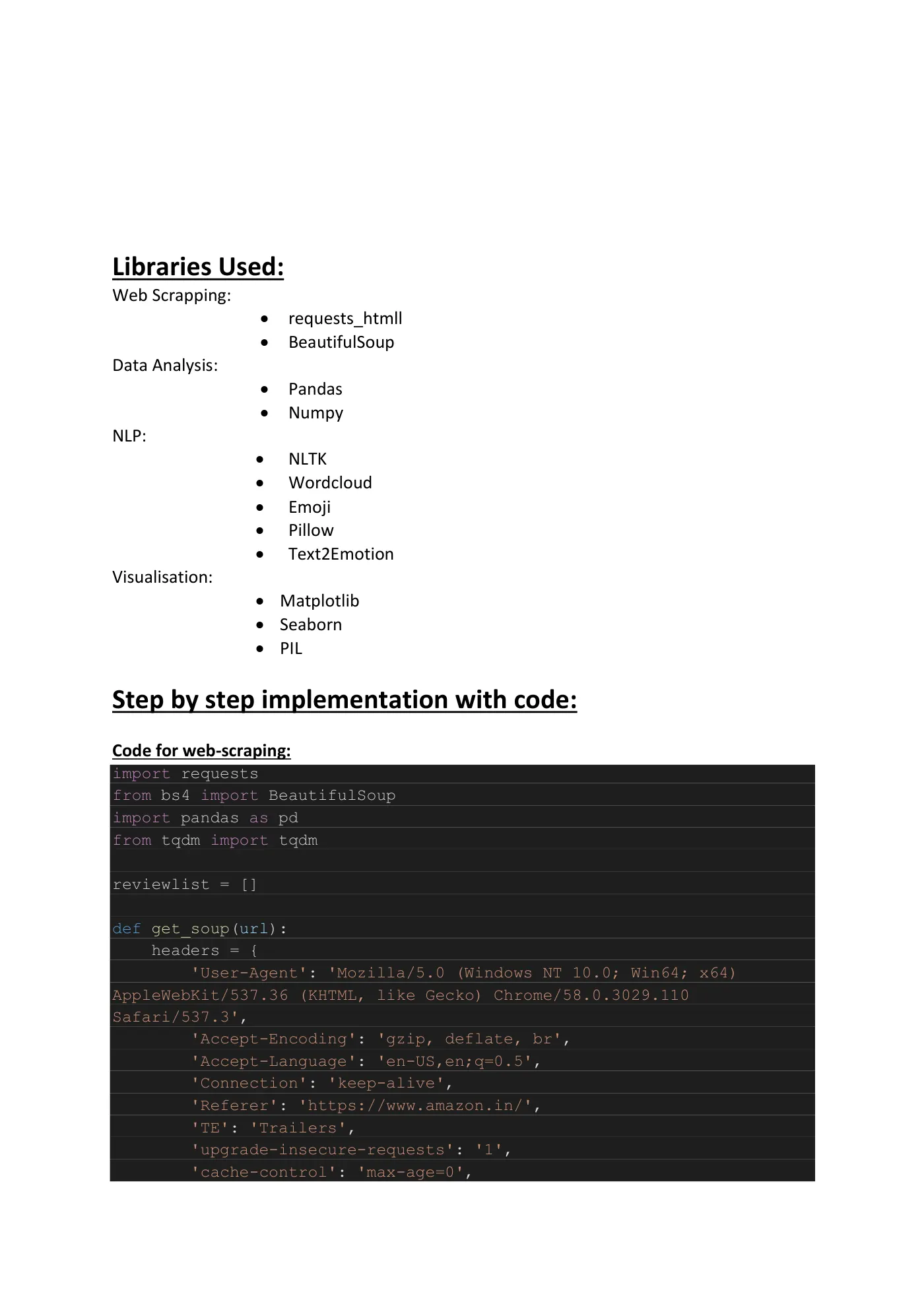
Libraries Used: Web Scrapping:
• requests_htmll • BeautifulSoup Data Analysis:
• Pandas • Numpy NLP:
• NLTK • Wordcloud • Emoji • Pillow • Text2Emotion Visualisation:
• Matplotlib • Seaborn • PIL Step by step implementation with code: Code for web-scraping: import requests from bs4 import BeautifulSoup import pandas as pd from tqdm import tqdm reviewlist = [] def get_soup(url): headers = { 'User-Agent': 'Mozilla/5.0 (Windows NT 10.0; Win64; x64) AppleWebKit/537.36 (KHTML, like Gecko) Chrome/58.0.3029.110 Safari/537.3', 'Accept-Encoding': 'gzip, deflate, br', 'Accept-Language': 'en-US,en;q=0.5', 'Connection': 'keep-alive', 'Referer': 'https://www.amazon.in/', 'TE': 'Trailers', 'upgrade-insecure-requests': '1', 'cache-control': 'max-age=0',
Page 3
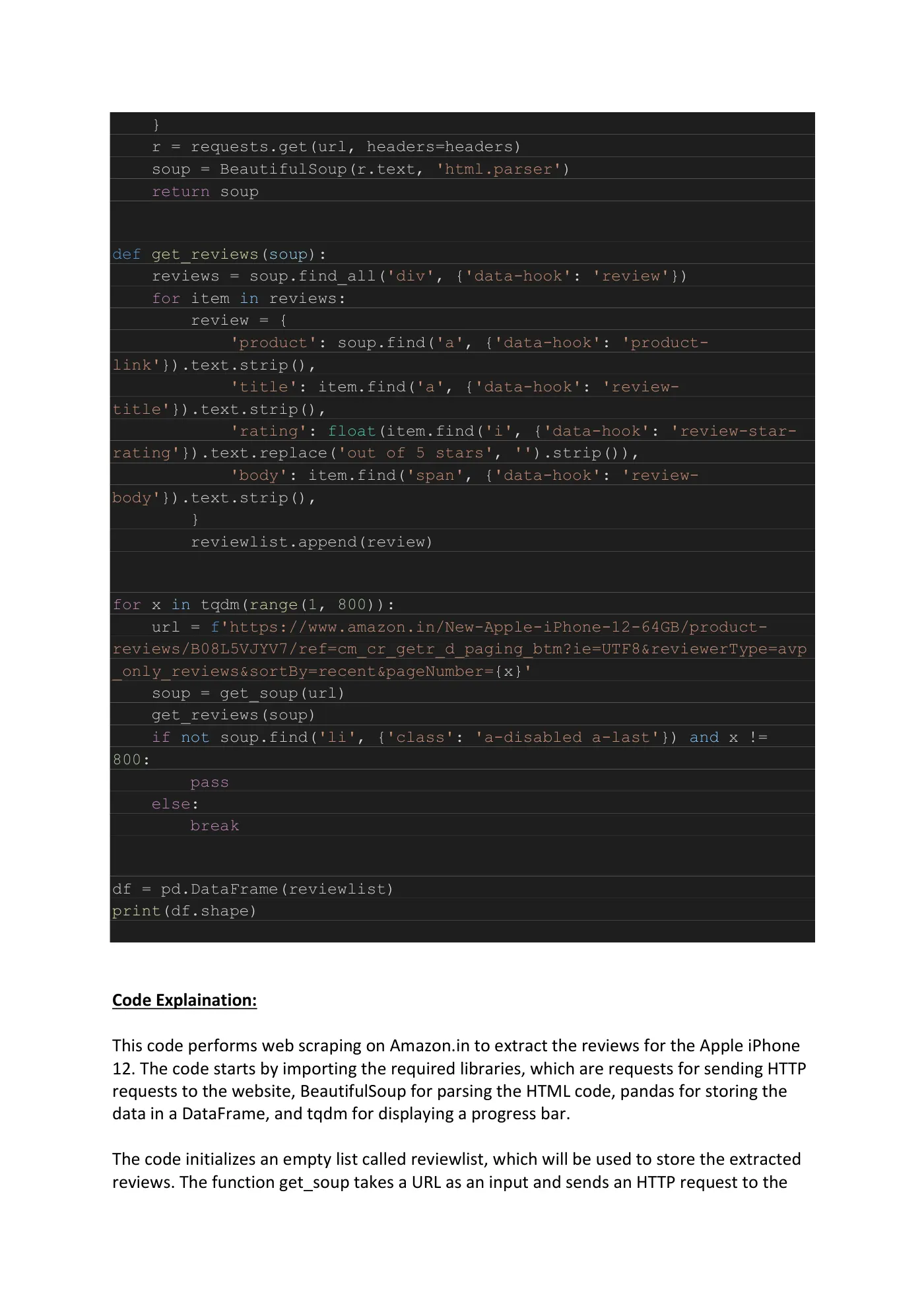
} r = requests.get(url, headers=headers) soup = BeautifulSoup(r.text, 'html.parser') return soup
def get_reviews(soup): reviews = soup.find_all('div', {'data-hook': 'review'}) for item in reviews: review = { 'product': soup.find('a', {'data-hook': 'product- link'}).text.strip(), 'title': item.find('a', {'data-hook': 'review- title'}).text.strip(), 'rating': float(item.find('i', {'data-hook': 'review-star- rating'}).text.replace('out of 5 stars', '').strip()), 'body': item.find('span', {'data-hook': 'review- body'}).text.strip(), } reviewlist.append(review)
for x in tqdm(range(1, 800)): url = f'https://www.amazon.in/New-Apple-iPhone-12-64GB/product- reviews/B08L5VJYV7/ref=cm_cr_getr_d_paging_btm?ie=UTF8&reviewerType=avp _only_reviews&sortBy=recent&pageNumber={x}' soup = get_soup(url) get_reviews(soup) if not soup.find('li', {'class': 'a-disabled a-last'}) and x != 800: pass else: break
df = pd.DataFrame(reviewlist) print(df.shape) Code Explaination: This code performs web scraping on Amazon.in to extract the reviews for the Apple iPhone 12. The code starts by importing the required libraries, which are requests for sending HTTP requests to the website, BeautifulSoup for parsing the HTML code, pandas for storing the data in a DataFrame, and tqdm for displaying a progress bar. The code initializes an empty list called reviewlist, which will be used to store the extracted reviews. The function get_soup takes a URL as an input and sends an HTTP request to the
Page 4
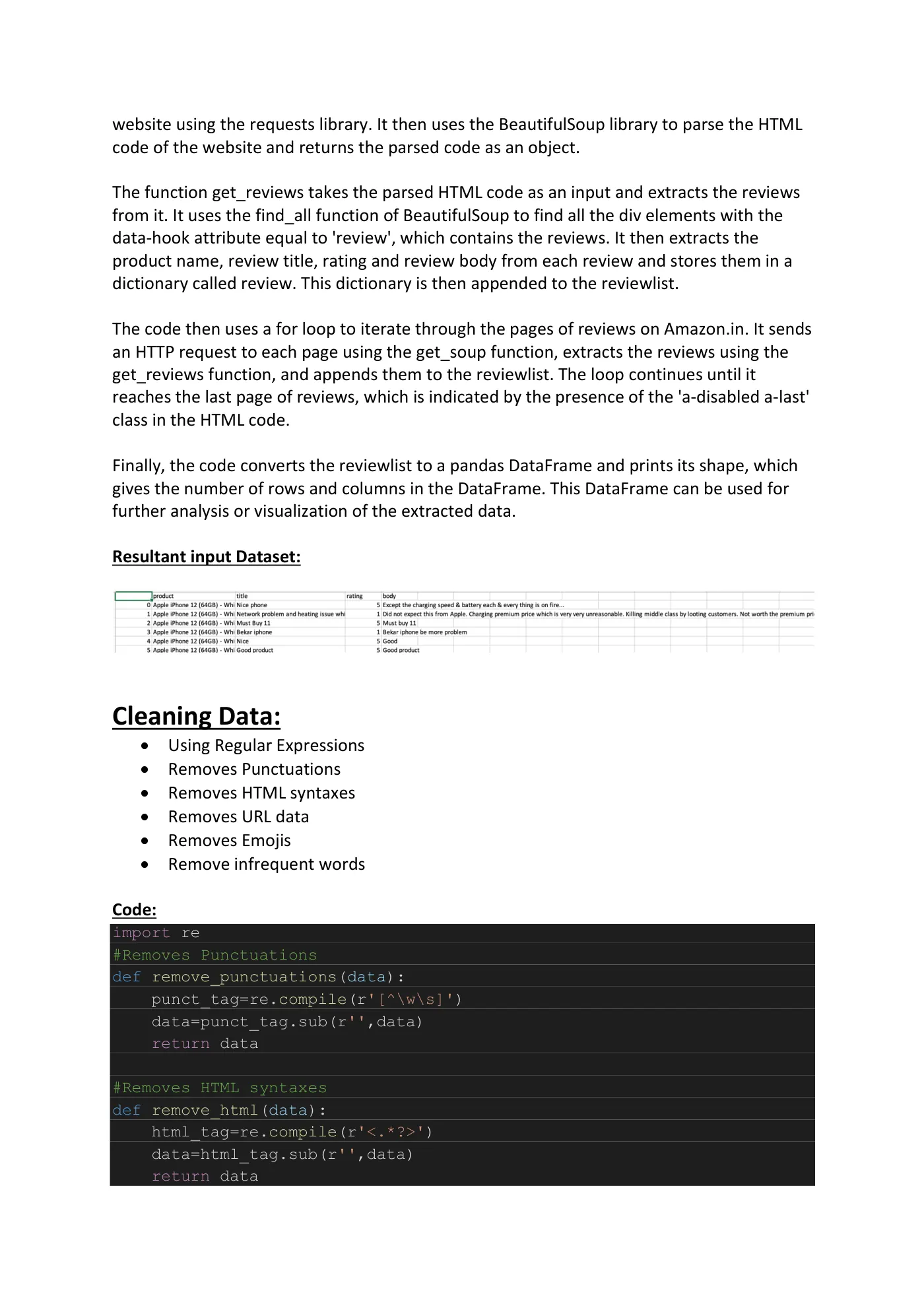
website using the requests library. It then uses the BeautifulSoup library to parse the HTML code of the website and returns the parsed code as an object. The function get_reviews takes the parsed HTML code as an input and extracts the reviews from it. It uses the find_all function of BeautifulSoup to find all the div elements with the data-hook attribute equal to 'review', which contains the reviews. It then extracts the product name, review title, rating and review body from each review and stores them in a dictionary called review. This dictionary is then appended to the reviewlist. The code then uses a for loop to iterate through the pages of reviews on Amazon.in. It sends an HTTP request to each page using the get_soup function, extracts the reviews using the get_reviews function, and appends them to the reviewlist. The loop continues until it reaches the last page of reviews, which is indicated by the presence of the 'a-disabled a-last' class in the HTML code. Finally, the code converts the reviewlist to a pandas DataFrame and prints its shape, which gives the number of rows and columns in the DataFrame. This DataFrame can be used for further analysis or visualization of the extracted data. Resultant input Dataset:
Cleaning Data:
• Using Regular Expressions • Removes Punctuations • Removes HTML syntaxes • Removes URL data • Removes Emojis • Remove infrequent words Code: import re #Removes Punctuations def remove_punctuations(data): punct_tag=re.compile(r'[^\w\s]') data=punct_tag.sub(r'',data) return data #Removes HTML syntaxes def remove_html(data): html_tag=re.compile(r'<.*?>') data=html_tag.sub(r'',data) return data
Page 5
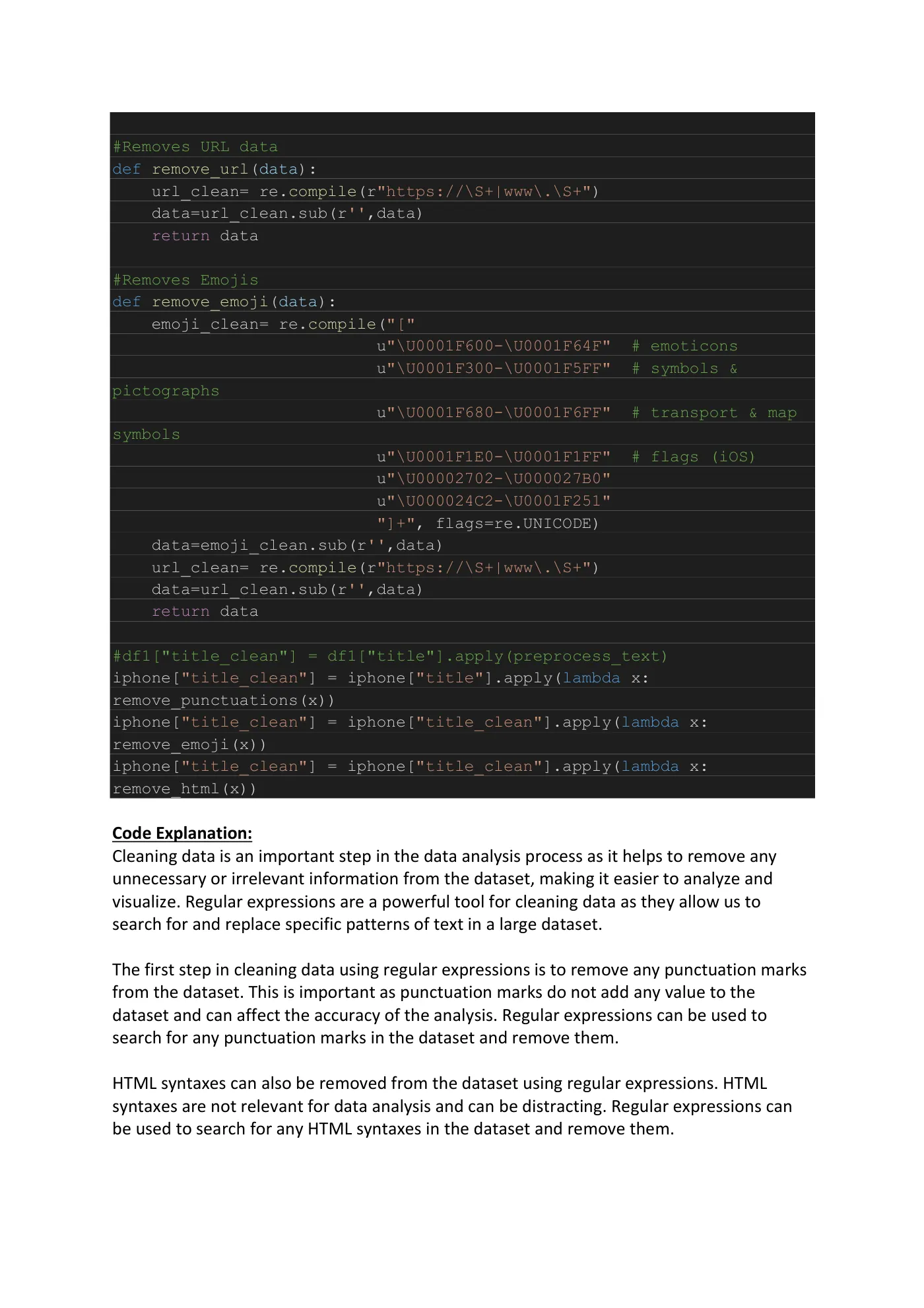
#Removes URL data def remove_url(data): url_clean= re.compile(r"https://\S+|www\.\S+") data=url_clean.sub(r'',data) return data #Removes Emojis def remove_emoji(data): emoji_clean= re.compile("[" u"\U0001F600-\U0001F64F" # emoticons u"\U0001F300-\U0001F5FF" # symbols & pictographs u"\U0001F680-\U0001F6FF" # transport & map symbols u"\U0001F1E0-\U0001F1FF" # flags (iOS) u"\U00002702-\U000027B0" u"\U000024C2-\U0001F251" "]+", flags=re.UNICODE) data=emoji_clean.sub(r'',data) url_clean= re.compile(r"https://\S+|www\.\S+") data=url_clean.sub(r'',data) return data #df1["title_clean"] = df1["title"].apply(preprocess_text) iphone["title_clean"] = iphone["title"].apply(lambda x: remove_punctuations(x)) iphone["title_clean"] = iphone["title_clean"].apply(lambda x: remove_emoji(x)) iphone["title_clean"] = iphone["title_clean"].apply(lambda x: remove_html(x)) Code Explanation: Cleaning data is an important step in the data analysis process as it helps to remove any unnecessary or irrelevant information from the dataset, making it easier to analyze and visualize. Regular expressions are a powerful tool for cleaning data as they allow us to search for and replace specific patterns of text in a large dataset. The first step in cleaning data using regular expressions is to remove any punctuation marks from the dataset. This is important as punctuation marks do not add any value to the dataset and can affect the accuracy of the analysis. Regular expressions can be used to search for any punctuation marks in the dataset and remove them. HTML syntaxes can also be removed from the dataset using regular expressions. HTML syntaxes are not relevant for data analysis and can be distracting. Regular expressions can be used to search for any HTML syntaxes in the dataset and remove them.
Page 6
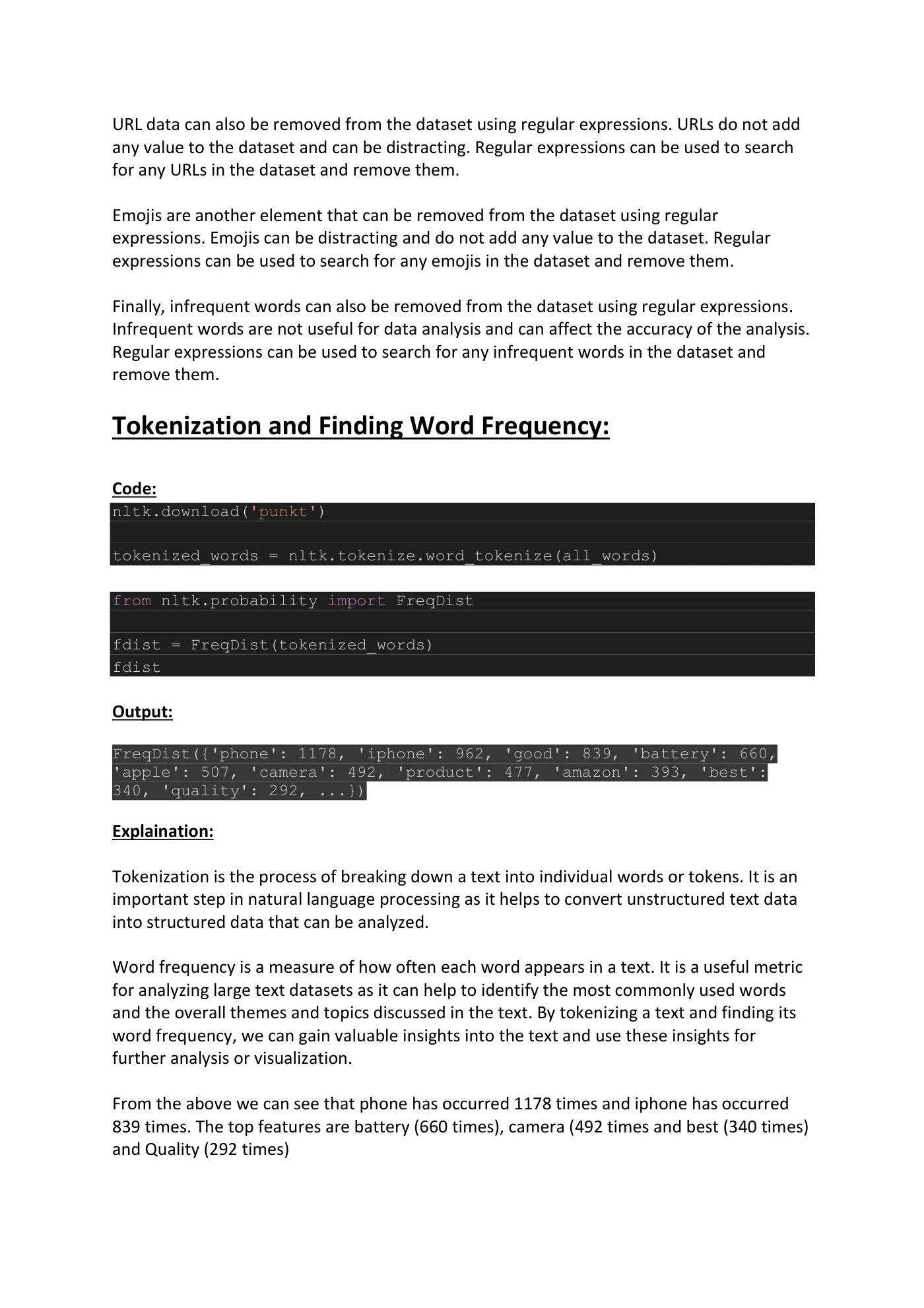
URL data can also be removed from the dataset using regular expressions. URLs do not add any value to the dataset and can be distracting. Regular expressions can be used to search for any URLs in the dataset and remove them. Emojis are another element that can be removed from the dataset using regular expressions. Emojis can be distracting and do not add any value to the dataset. Regular expressions can be used to search for any emojis in the dataset and remove them. Finally, infrequent words can also be removed from the dataset using regular expressions. Infrequent words are not useful for data analysis and can affect the accuracy of the analysis. Regular expressions can be used to search for any infrequent words in the dataset and remove them. Tokenization and Finding Word Frequency: Code: nltk.download('punkt') tokenized_words = nltk.tokenize.word_tokenize(all_words) from nltk.probability import FreqDist fdist = FreqDist(tokenized_words) fdist Output: FreqDist({'phone': 1178, 'iphone': 962, 'good': 839, 'battery': 660, 'apple': 507, 'camera': 492, 'product': 477, 'amazon': 393, 'best': 340, 'quality': 292, ...}) Explaination: Tokenization is the process of breaking down a text into individual words or tokens. It is an important step in natural language processing as it helps to convert unstructured text data into structured data that can be analyzed. Word frequency is a measure of how often each word appears in a text. It is a useful metric for analyzing large text datasets as it can help to identify the most commonly used words and the overall themes and topics discussed in the text. By tokenizing a text and finding its word frequency, we can gain valuable insights into the text and use these insights for further analysis or visualization. From the above we can see that phone has occurred 1178 times and iphone has occurred 839 times. The top features are battery (660 times), camera (492 times and best (340 times) and Quality (292 times)
Page 7
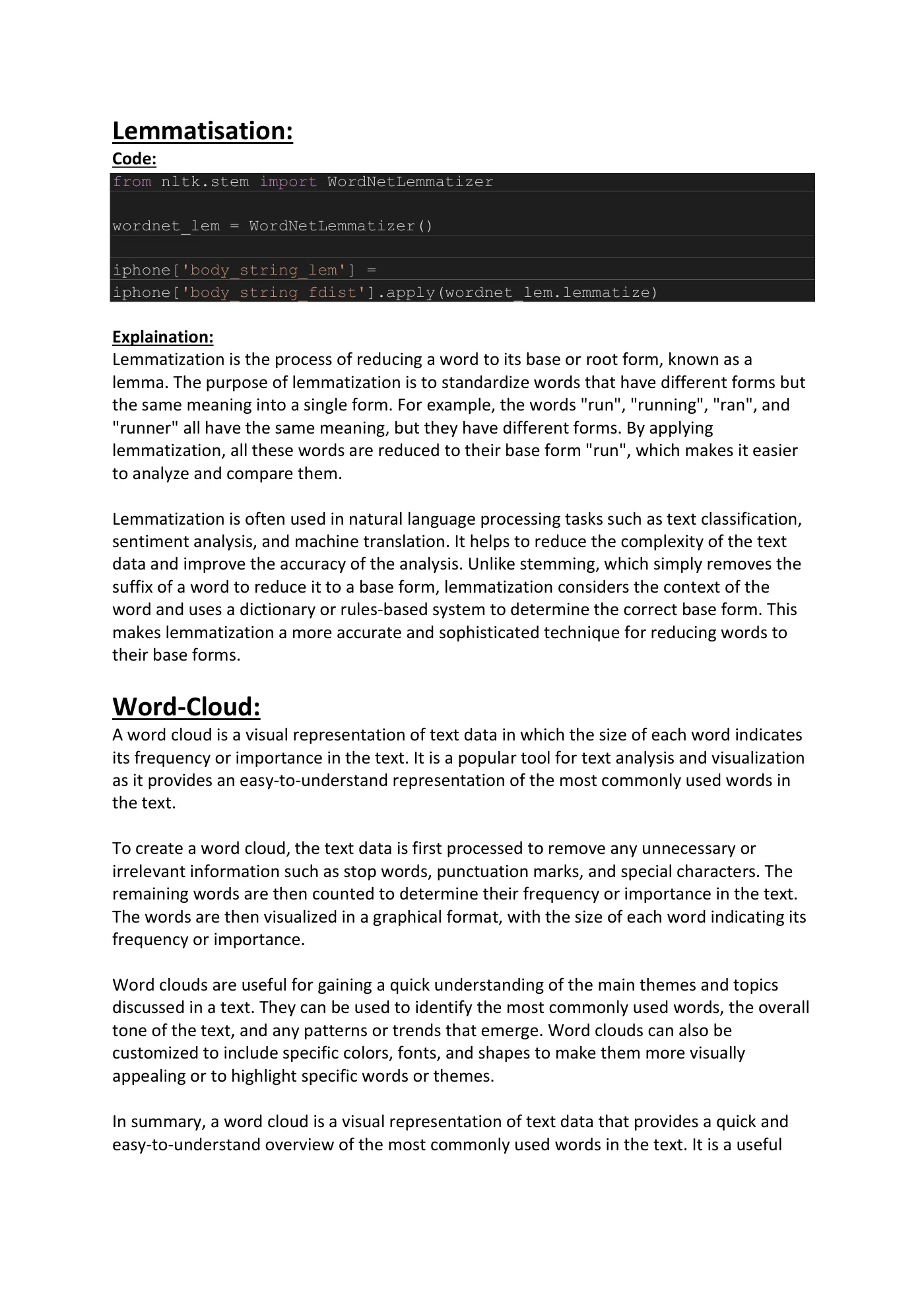
Lemmatisation: Code: from nltk.stem import WordNetLemmatizer wordnet_lem = WordNetLemmatizer() iphone['body_string_lem'] = iphone['body_string_fdist'].apply(wordnet_lem.lemmatize) Explaination: Lemmatization is the process of reducing a word to its base or root form, known as a lemma. The purpose of lemmatization is to standardize words that have different forms but the same meaning into a single form. For example, the words "run", "running", "ran", and "runner" all have the same meaning, but they have different forms. By applying lemmatization, all these words are reduced to their base form "run", which makes it easier to analyze and compare them. Lemmatization is often used in natural language processing tasks such as text classification, sentiment analysis, and machine translation. It helps to reduce the complexity of the text data and improve the accuracy of the analysis. Unlike stemming, which simply removes the suffix of a word to reduce it to a base form, lemmatization considers the context of the word and uses a dictionary or rules-based system to determine the correct base form. This makes lemmatization a more accurate and sophisticated technique for reducing words to their base forms. Word-Cloud: A word cloud is a visual representation of text data in which the size of each word indicates its frequency or importance in the text. It is a popular tool for text analysis and visualization as it provides an easy-to-understand representation of the most commonly used words in the text. To create a word cloud, the text data is first processed to remove any unnecessary or irrelevant information such as stop words, punctuation marks, and special characters. The remaining words are then counted to determine their frequency or importance in the text. The words are then visualized in a graphical format, with the size of each word indicating its frequency or importance. Word clouds are useful for gaining a quick understanding of the main themes and topics discussed in a text. They can be used to identify the most commonly used words, the overall tone of the text, and any patterns or trends that emerge. Word clouds can also be customized to include specific colors, fonts, and shapes to make them more visually appealing or to highlight specific words or themes. In summary, a word cloud is a visual representation of text data that provides a quick and easy-to-understand overview of the most commonly used words in the text. It is a useful
Page 8
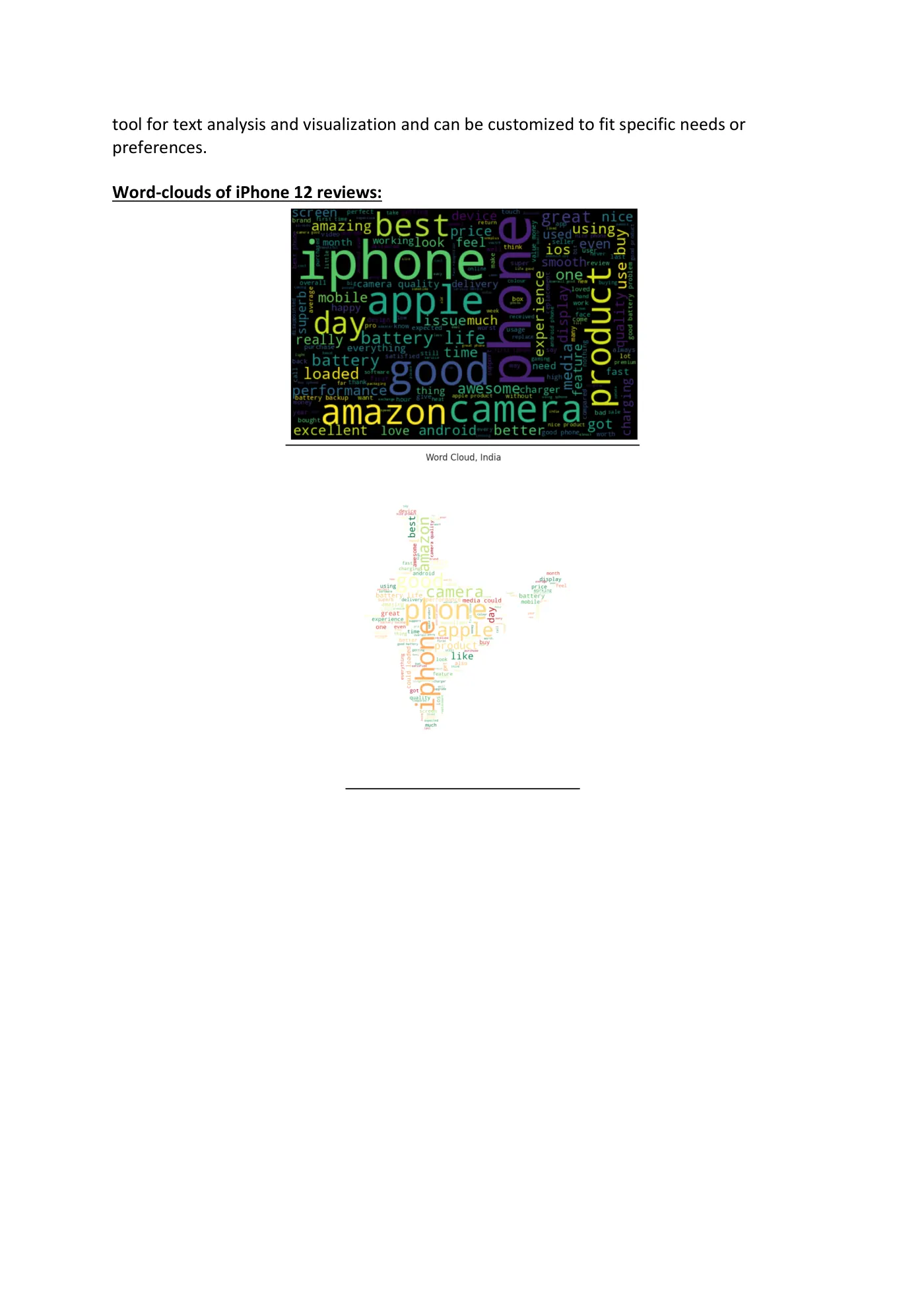
tool for text analysis and visualization and can be customized to fit specific needs or preferences. Word-clouds of iPhone 12 reviews:
Page 9
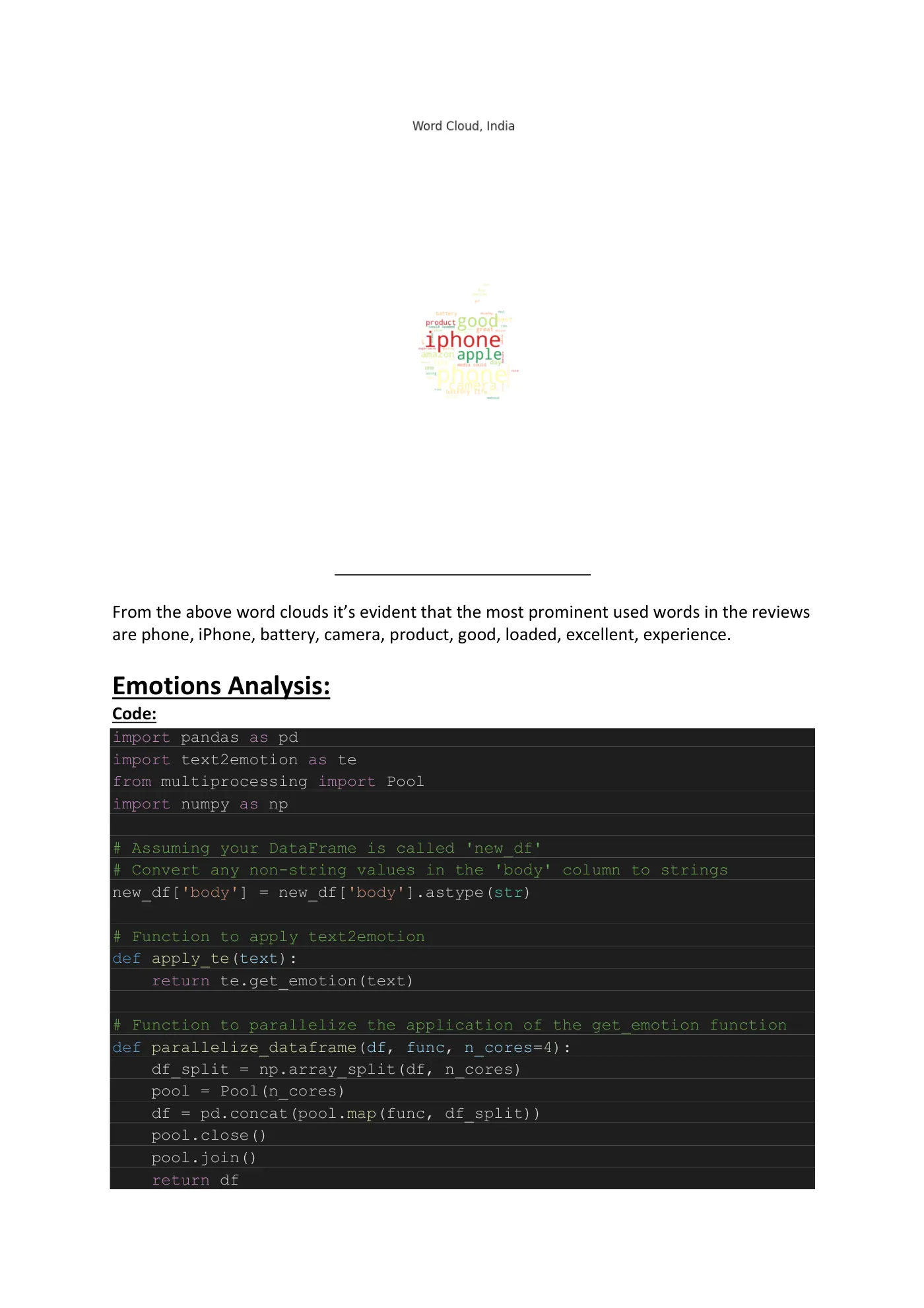
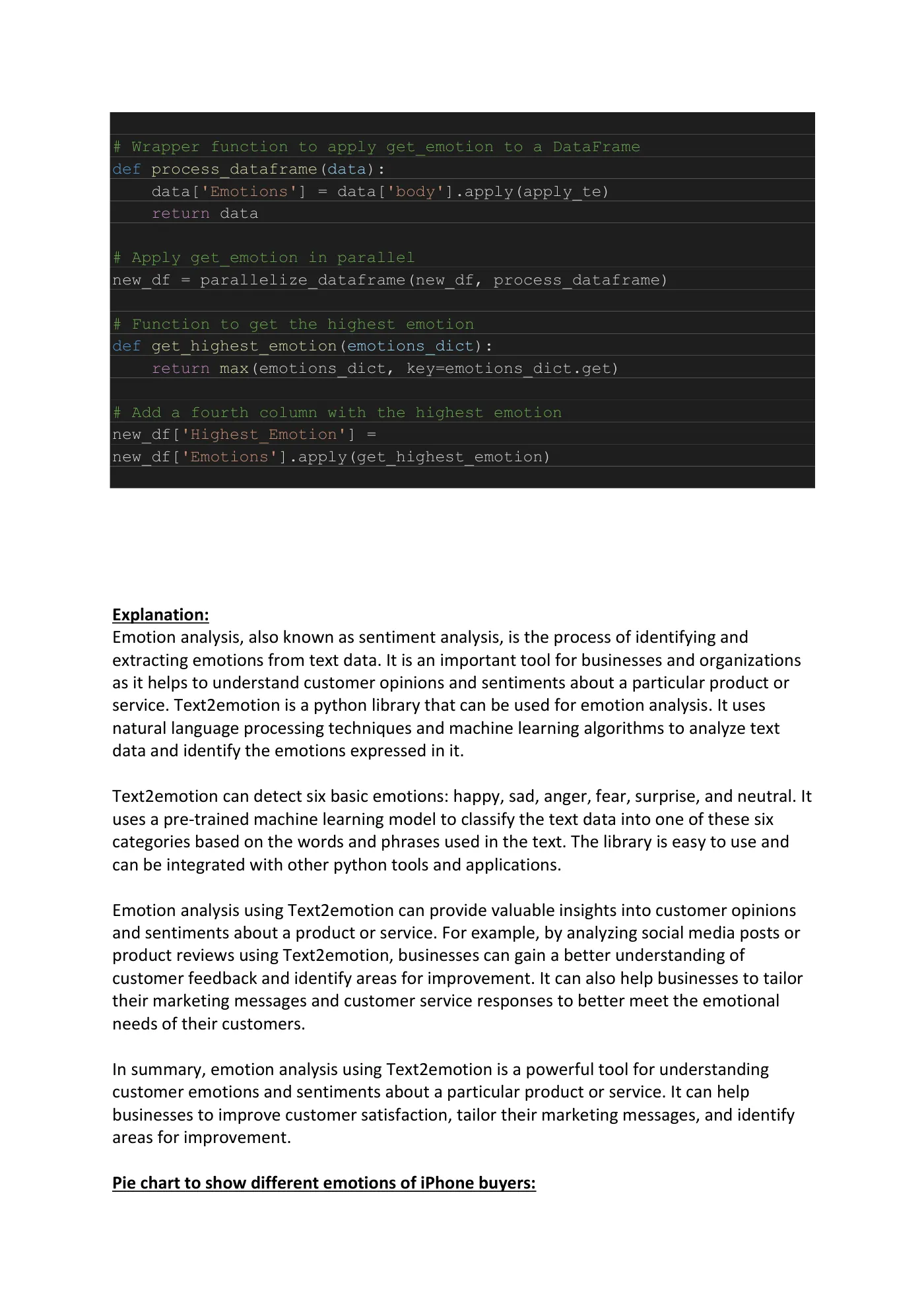
From the above word clouds it’s evident that the most prominent used words in the reviews are phone, iPhone, battery, camera, product, good, loaded, excellent, experience. Emotions Analysis: Code: import pandas as pd import text2emotion as te from multiprocessing import Pool import numpy as np # Assuming your DataFrame is called 'new_df' # Convert any non-string values in the 'body' column to strings new_df['body'] = new_df['body'].astype(str) # Function to apply text2emotion def apply_te(text): return te.get_emotion(text) # Function to parallelize the application of the get_emotion function def parallelize_dataframe(df, func, n_cores=4): df_split = np.array_split(df, n_cores) pool = Pool(n_cores) df = pd.concat(pool.map(func, df_split)) pool.close() pool.join() return df
Page 10
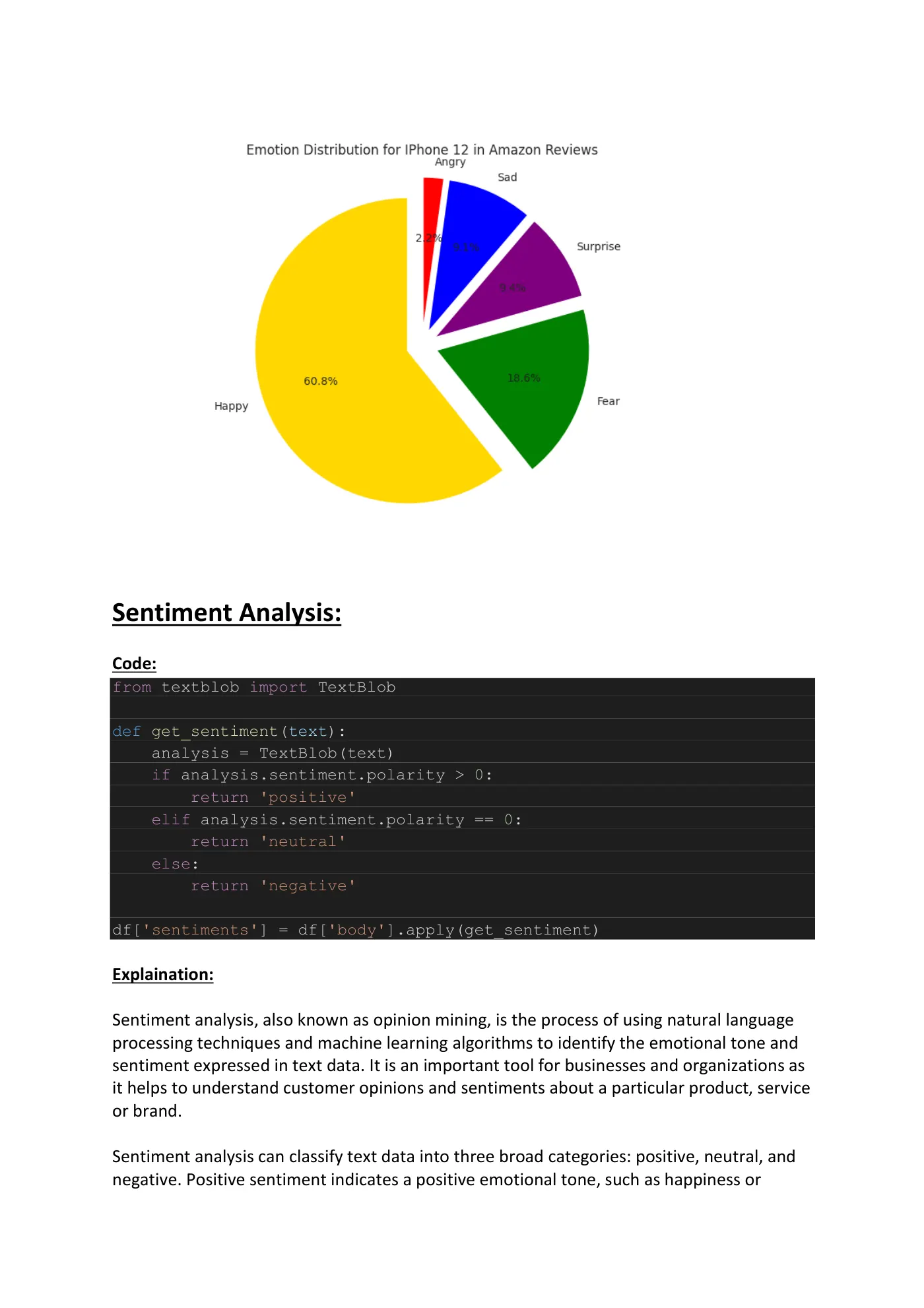
# Wrapper function to apply get_emotion to a DataFrame def process_dataframe(data): data['Emotions'] = data['body'].apply(apply_te) return data # Apply get_emotion in parallel new_df = parallelize_dataframe(new_df, process_dataframe) # Function to get the highest emotion def get_highest_emotion(emotions_dict): return max(emotions_dict, key=emotions_dict.get) # Add a fourth column with the highest emotion new_df['Highest_Emotion'] = new_df['Emotions'].apply(get_highest_emotion) Explanation: Emotion analysis, also known as sentiment analysis, is the process of identifying and extracting emotions from text data. It is an important tool for businesses and organizations as it helps to understand customer opinions and sentiments about a particular product or service. Text2emotion is a python library that can be used for emotion analysis. It uses natural language processing techniques and machine learning algorithms to analyze text data and identify the emotions expressed in it. Text2emotion can detect six basic emotions: happy, sad, anger, fear, surprise, and neutral. It uses a pre-trained machine learning model to classify the text data into one of these six categories based on the words and phrases used in the text. The library is easy to use and can be integrated with other python tools and applications. Emotion analysis using Text2emotion can provide valuable insights into customer opinions and sentiments about a product or service. For example, by analyzing social media posts or product reviews using Text2emotion, businesses can gain a better understanding of customer feedback and identify areas for improvement. It can also help businesses to tailor their marketing messages and customer service responses to better meet the emotional needs of their customers. In summary, emotion analysis using Text2emotion is a powerful tool for understanding customer emotions and sentiments about a particular product or service. It can help businesses to improve customer satisfaction, tailor their marketing messages, and identify areas for improvement. Pie chart to show different emotions of iPhone buyers:
Page 11
Sentiment Analysis: Code: from textblob import TextBlob def get_sentiment(text): analysis = TextBlob(text) if analysis.sentiment.polarity > 0: return 'positive' elif analysis.sentiment.polarity == 0: return 'neutral' else: return 'negative' df['sentiments'] = df['body'].apply(get_sentiment) Explaination: Sentiment analysis, also known as opinion mining, is the process of using natural language processing techniques and machine learning algorithms to identify the emotional tone and sentiment expressed in text data. It is an important tool for businesses and organizations as it helps to understand customer opinions and sentiments about a particular product, service or brand. Sentiment analysis can classify text data into three broad categories: positive, neutral, and negative. Positive sentiment indicates a positive emotional tone, such as happiness or
Page 12
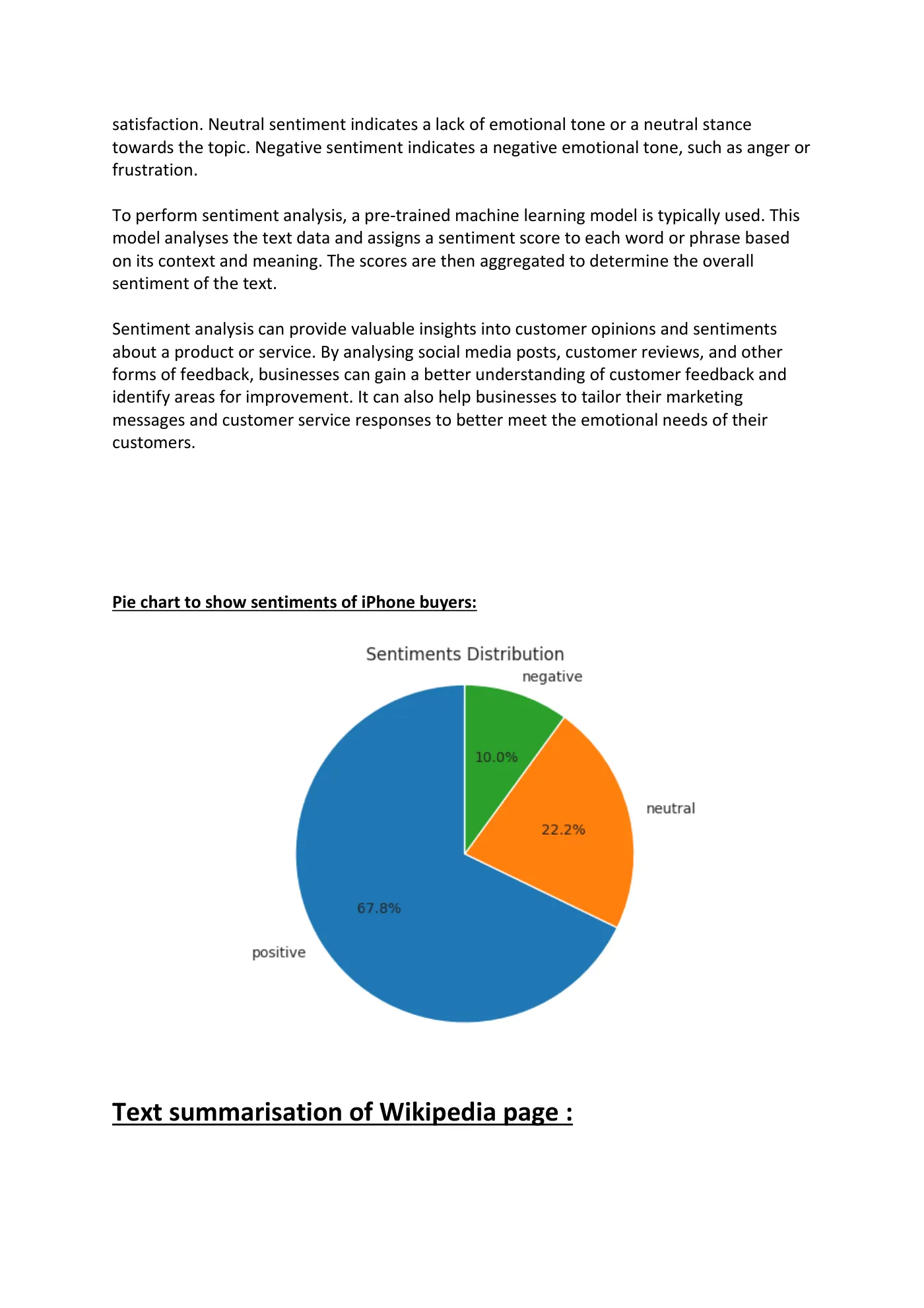
satisfaction. Neutral sentiment indicates a lack of emotional tone or a neutral stance towards the topic. Negative sentiment indicates a negative emotional tone, such as anger or frustration. To perform sentiment analysis, a pre-trained machine learning model is typically used. This model analyses the text data and assigns a sentiment score to each word or phrase based on its context and meaning. The scores are then aggregated to determine the overall sentiment of the text. Sentiment analysis can provide valuable insights into customer opinions and sentiments about a product or service. By analysing social media posts, customer reviews, and other forms of feedback, businesses can gain a better understanding of customer feedback and identify areas for improvement. It can also help businesses to tailor their marketing messages and customer service responses to better meet the emotional needs of their customers. Pie chart to show sentiments of iPhone buyers:
Text summarisation of Wikipedia page :
Page 13
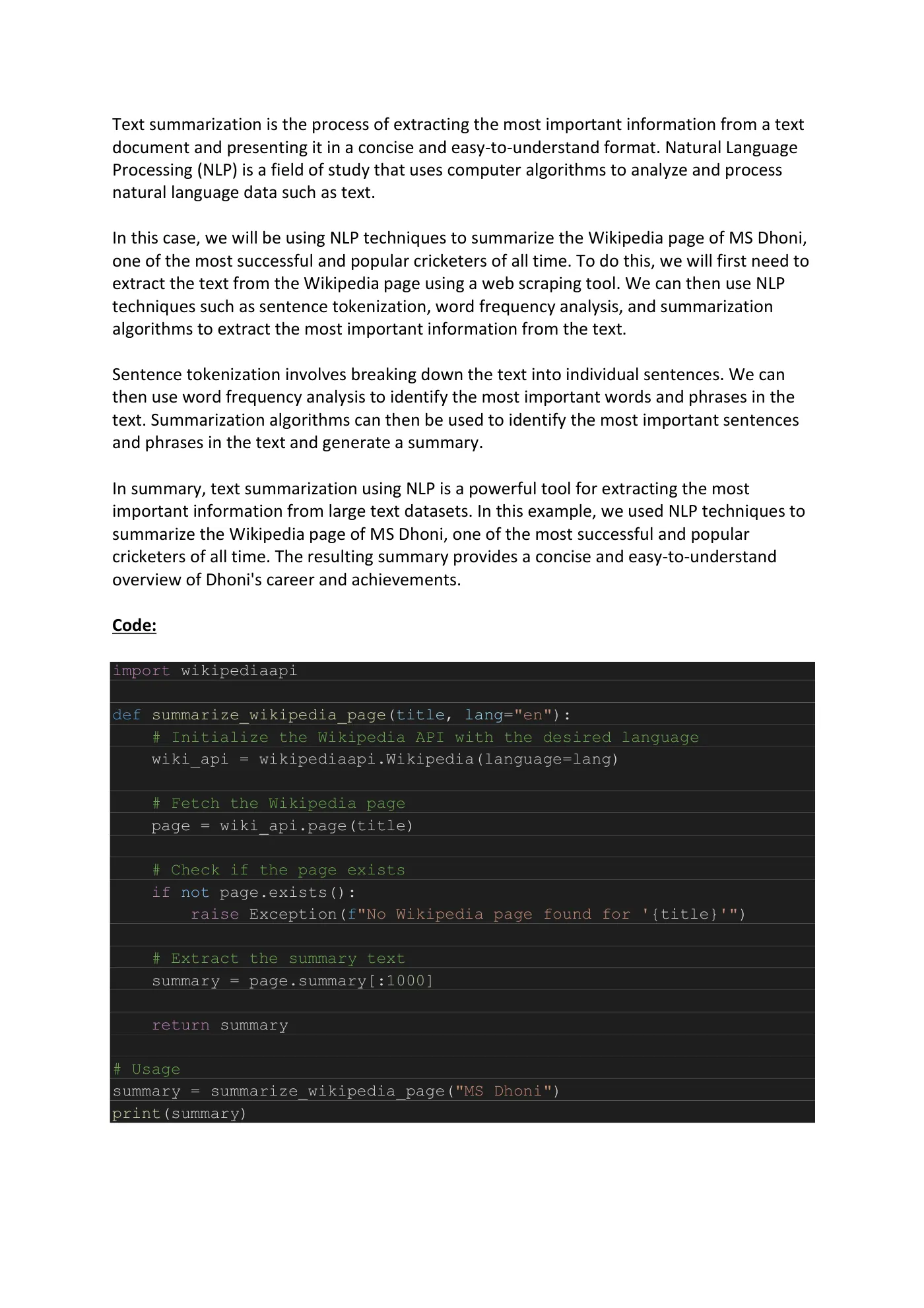
Text summarization is the process of extracting the most important information from a text document and presenting it in a concise and easy-to-understand format. Natural Language Processing (NLP) is a field of study that uses computer algorithms to analyze and process natural language data such as text. In this case, we will be using NLP techniques to summarize the Wikipedia page of MS Dhoni, one of the most successful and popular cricketers of all time. To do this, we will first need to extract the text from the Wikipedia page using a web scraping tool. We can then use NLP techniques such as sentence tokenization, word frequency analysis, and summarization algorithms to extract the most important information from the text. Sentence tokenization involves breaking down the text into individual sentences. We can then use word frequency analysis to identify the most important words and phrases in the text. Summarization algorithms can then be used to identify the most important sentences and phrases in the text and generate a summary. In summary, text summarization using NLP is a powerful tool for extracting the most important information from large text datasets. In this example, we used NLP techniques to summarize the Wikipedia page of MS Dhoni, one of the most successful and popular cricketers of all time. The resulting summary provides a concise and easy-to-understand overview of Dhoni's career and achievements. Code: import wikipediaapi def summarize_wikipedia_page(title, lang="en"): # Initialize the Wikipedia API with the desired language wiki_api = wikipediaapi.Wikipedia(language=lang) # Fetch the Wikipedia page page = wiki_api.page(title) # Check if the page exists if not page.exists(): raise Exception(f"No Wikipedia page found for '{title}'") # Extract the summary text summary = page.summary[:1000] return summary # Usage summary = summarize_wikipedia_page("MS Dhoni") print(summary)
Page 14
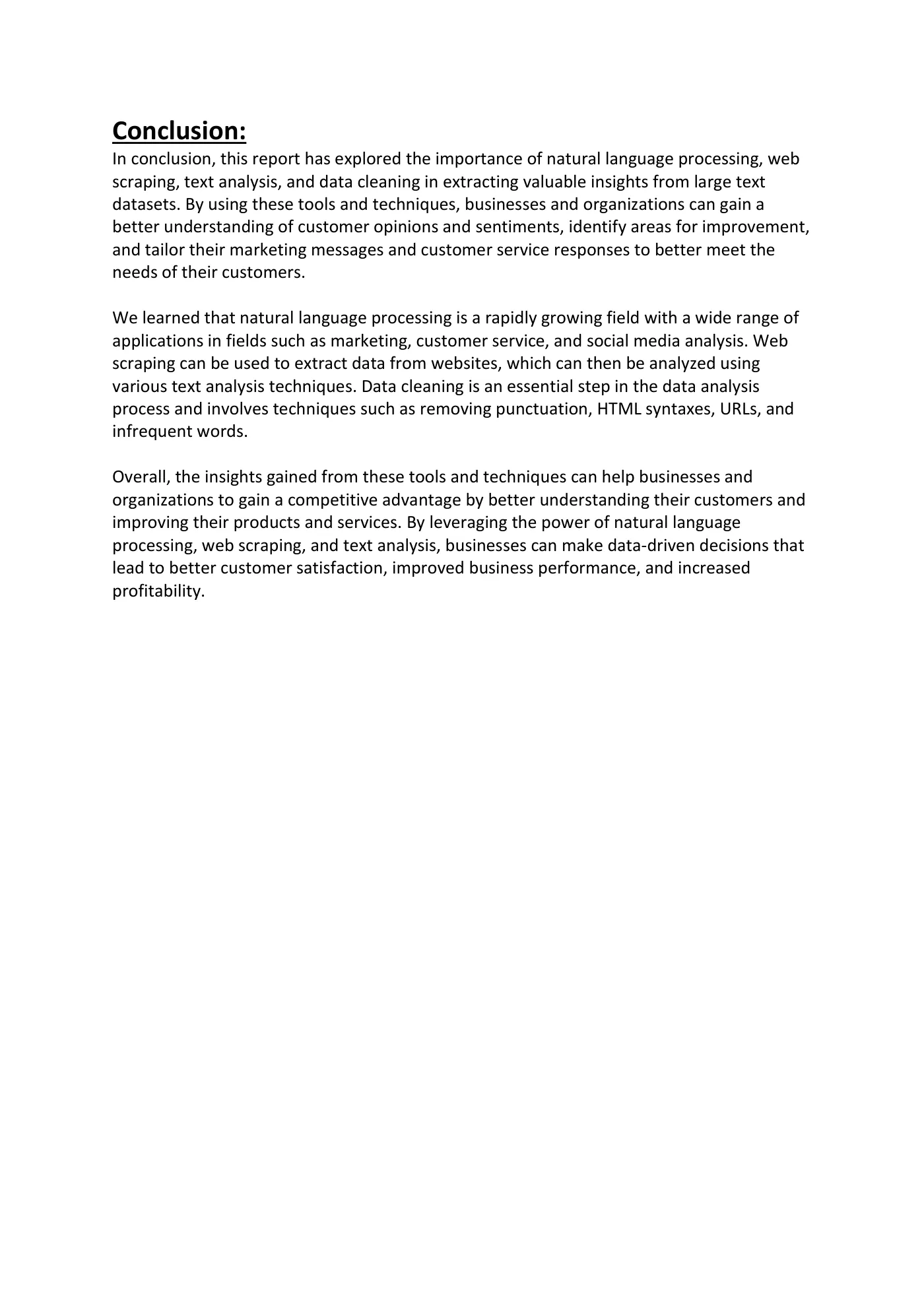
Conclusion: In conclusion, this report has explored the importance of natural language processing, web scraping, text analysis, and data cleaning in extracting valuable insights from large text datasets. By using these tools and techniques, businesses and organizations can gain a better understanding of customer opinions and sentiments, identify areas for improvement, and tailor their marketing messages and customer service responses to better meet the needs of their customers. We learned that natural language processing is a rapidly growing field with a wide range of applications in fields such as marketing, customer service, and social media analysis. Web scraping can be used to extract data from websites, which can then be analyzed using various text analysis techniques. Data cleaning is an essential step in the data analysis process and involves techniques such as removing punctuation, HTML syntaxes, URLs, and infrequent words. Overall, the insights gained from these tools and techniques can help businesses and organizations to gain a competitive advantage by better understanding their customers and improving their products and services. By leveraging the power of natural language processing, web scraping, and text analysis, businesses can make data-driven decisions that lead to better customer satisfaction, improved business performance, and increased profitability.